# Shortcoder — Create Shortcodes for Anything Contributors: vaakash Author URI: https://www.aakashweb.com/ Plugin URI: https://www.aakashweb.com/wordpress-plugins/shortcoder/ Tags: shortcode, html, javascript, shortcodes, snippets, posts, pages, widgets, insert, adsense, ads, code, elementor, WPBakery Donate link: https://www.paypal.me/vaakash/ License: GPLv2 or later Requires PHP: 5.3 Requires at least: 4.9.0 Tested up to: 6.1 Stable tag: 6.1 Create custom "Shortcodes" easily for HTML, JavaScript, CSS code snippets and use the shortcodes within posts, pages & widgets ## Description Shortcoder plugin allows to create a custom shortcodes for HTML, JavaScript, CSS and other code snippets. Now the shortcodes can be used in posts/pages and the snippet will be replaced in place. ### ✍ Create shortcodes easily 1. Give a name for the shortcode 1. Paste the HTML/JavaScript/CSS as shortcode content 1. Save ! 1. Now insert the shortcode `[sc name="my_shortcode"]` in your post/page. 1. **Voila !** You got the HTML/Javascript/CSS in your post. ### ✨ Features * Create **custom shortcodes** easily and use them in any place where shortcode is supported. * Have any **HTML**, **Javascript**, **CSS** as Shortcode content. * Insert: **Custom parameters** in shortcode * Insert: **WordPress parameters** in shortcode * Multiple editors: Code, Visual and text modes. * Globally disable the shortcode when not needed. * Disable shortcode on desktop, mobile devices. * A button in post editor to pick the shortcodes to insert. * Supports Gutenberg. ### 🎲 An example usage 1. Create a shortcode named "adsenseAd" in the Shortcoder admin page. 1. Paste the adsense code in the box given and save it. 1. Use `[sc name="adsenseAd"]` in your posts and pages. 1. Tada !!! the ad code is replaced and it appears in the post. 1. Now you can edit the ad code at one place and the code is updated in all the locations where the shortcode is used. Similarly shortcodes can be created for frequently used snippets. You can also add [custom parameters](https://www.aakashweb.com/docs/shortcoder/) (like `%%id%%`) inside the snippets, and change it's value like `[sc name="youtube" id="GrlRADfvjII"]` when using them. ### 🧱 Using in block editor Though shortcodes can be used in **any** place manually, Shortcoder provides below options to select and insert the shortcodes created easily when working with the block editor. * Shortcoder block * Toolbar button to select and insert shortcodes inline (under "more") ### 💎 Upgrade to PRO Shortcoder also provides a [PRO version](https://www.aakashweb.com/wordpress-plugins/shortcoder/) which has additional features to further enhance the experience. Below features are offered in the PRO version. * **Custom editor** - Edit Shortcode content using block editor or page builder plugins like Elementor and WPBakery. * **Revisions** - Revisions support for Shortcode content. * **Locate shortcode** - Search posts and pages where a shortcode is used. * **Extra code** - Include extra code to the footer when a shortcode is used in a page. [Get started with Shortcoder - PRO](https://www.aakashweb.com/wordpress-plugins/shortcoder/) ### Links * [Documentation](https://www.aakashweb.com/docs/shortcoder/) * [FAQs](https://www.aakashweb.com/docs/shortcoder/faq/) * [Support forum/Report bugs](https://www.aakashweb.com/forum/) * [PRO features](https://www.aakashweb.com/wordpress-plugins/shortcoder/#pro) ## Installation 1. Extract the zipped file and upload the folder `Shortcoder` to to `/wp-content/plugins/` directory. 1. Activate the plugin through the `Plugins` menu in WordPress. 1. Open the admin page from the "Shortcoder" link in the navigation menu. ## Frequently Asked Questions Please visit the [plugin documentation page](https://www.aakashweb.com/docs/shortcoder/) for complete list of FAQs. ### What are the allowed characters for shortcode name? Allowed characters are alphabets, numbers, hyphens and underscores. ### My shortcode is not working in my page builder! Please check with your page builder plugin to confirm if the block/place/area where the shortcode is being used can execute shortcodes. If yes, then shortcode should work fine just like regular WordPress shortcodes. ### My shortcode is not working! Please check the following if you notice that the shortcode content is not printed or when the output is not as expected. * Please verify if the shortcode content is printed. If shortcode content is not seen printed, check the shortcode settings to see if any option is enabled to restrict where and when shortcode is printed. Also confirm if the shortcode name is correct and there is no duplicate `name` attribute for the shortcode. * If shortcode is printed but the output is not as expected, please try the shortcode content in an isolated environment and confirm if the shortcode content is working correctly as expected. Sometimes it might be external factors like theme, other plugin might conflict with the shortcode content being used. * There is a known limitation in shortcodes API when there is a combination of unclosed and closed shortcodes. Please refer [this document](https://codex.wordpress.org/Shortcode_API#Unclosed_Shortcodes) for more information. ### Can I insert PHP code in shortcode content? No, right now the plugin supports only HTML, Javascript and CSS as shortcode content. ### Can I use block editor or page builders like Elementor, WPBakery to create shortcode? Yes, this feature is available in the PRO version. You can upgrade to the [PRO version](https://www.aakashweb.com/wordpress-plugins/shortcoder/) to design using custom editor and create shortcode for that. ## Screenshots 1. Shortcoder admin page. 2. Editing a shortcode. 3. "Insert shortcode" popup to select and insert shortcodes. 4. A shortcode inserted into post. 5. Shortcoder block for Gutenberg editor. 6. Shortcoder executed in the post. 7. Insert shortcode inline from block editor toolbar. [More Screenshots](https://www.aakashweb.com/wordpress-plugins/shortcoder/) ## Changelog ### 6.1 * New: Enhancements to shortcode edit screen meta boxes. * Fix: HTML is escaped in the editor sometimes. * Fix: Support for WordPress 6.1 ### 6.0 * New: PRO version is introduced. * New: Prevent same shortcode nested loop. * New: New actions and filters introduced. * Fix: Post excerpt shortcode parameter now prints full post excerpt. * Fix: Enhancements to input and output data sanitization. ### 5.8 * New: Option to set description for the shortcode. * New: New actions and filters introduced. * Fix: Minor admin UI enhancements. ### 5.7 * New: Reordered shortcode column in the "All shortcodes" page. * New: Option to copy shortcode directly from "All shortcodes" page. * New: Filter `sc_mod_content` to modify shortcode content before execution. * Fix: Shortcode won't save if the email field in the feedback form has invalid value. * Fix: Custom parameter with hyphen was not highlighted in code editor. * Fix: Minor admin UI enhancements. ### 5.6 * New: Shortcodes available to copy/insert are now closed by default. * Fix: Custom parameter value 0 is not displayed. * Fix: Support for WordPress 5.8 ### 5.5 * New: General settings page to configure default editor and shortcode content. * New: Block to insert shortcode rewritten from scratch. * New: Toolbar button to insert shortcodes inline. * New: Shortcodes are now closed by default when inserted from editor. * Fix: Custom fields parsing issue when they are placed next to each other. * Fix: Enclosed content in block input now retains multi-line. * Fix: Minor refinements to UI. ### 5.4 * New: Code editor is now loaded locally and not from cloudflare. * New: Code editor now shows hints and highlights any syntax error. * New: Hyphens can now be used in shortcode custom parameters. * Fix: Handle scenario where shortcode attribute is received as a string sometimes. * Fix: Notice where `wp_localize_script` was called incorrectly. * Fix: Handle scenario where HTML is passed as shortcode parameter. * New: WordPress requirement changed from 4.4 to 4.9 ### 5.3.4 * New: Tested with WordPress 5.6 * Fix: Handle warning with `trim` while fetching page metadata at some pages. ### 5.3.3 * New: Support for `post slug` as the new shortcode parameter under WordPress information. * New: Codemirror has been updated to latest version. * Fix: Handle code editor loading issue when there is any collision. * Fix: Handle input fields which have empty `id` attribute. * Fix: Handle issue of `$post` object being undefined at some cases. * Fix: Renamed usages of `__class__` to `__CLASS__` ### 5.3.2 * New: In code editor, shortcodes will be highlighted and code editor font size is slightly bigger. ### 5.3.1 * New: Code editor is now made the default editor. * Fix: Minor changes to admin UI. ### 5.3 * New: Added support for underscores in custom parameters. * New: Getting ready for internationalization of the plugin. * Fix: Insert shortcode popup shows duplicate available parameters in case of same parameter with different case. ### 5.2.1 * Fix: Custom parameters being not replaced in some scenarios. * Fix: Minor enhancement to insert custom parameter form. ### 5.2 * New: Default values can now be provided to custom parameters. * Fix: Script tags, custom field placeholder and backslash being stripped after saving the shortcode sometimes. * Fix: Rel attribute being modified for links. * New: Added "Manage shortcodes" link to plugin list page for easy access after activation. ### 5.1 * New: Import/Export link added to the shortcoder list page. * Fix: `empty()` was throwing error at some places for users using PHP 5.5 below as function return value was passed to it. * Fix: Shortcoder QTTags button was loading in frontends. * Fix: "Insert shortcode" popup was hidden behind in theme customizer page. * Fix: `array_key_exists` array but bool given warning. * Fix: Hide comments metabox in shortcode edit page as it was shown in certain conditions. ### 5.0.4 * Fix: `script` and `style` tags stripped after 4.x upgrade. New migration will run in this version and shortcode content will now be fixed. ### 5.0.3 * Fix: Shortcode content is not escaped when code editor is used. This is requirement because `post_content` behaves strangely when user has rich editing enabled. ### 5.0.2 * Fix: Shortcodes inside shortcode content not getting executed. * Fix: Disable Gutenberg block for older not supported WordPress versions. ### 5.0.1 * Fix: Code editor escaping HTML characters. * Fix: `get_current_screen()` undefined. * Fix: Code editor breaks if there is any other plugin which loads codemirror. * Fix: `tools.php` is not found. ### 5.0 * New: Brand new version. Plugin rewritten from scratch. * New: Shortcoder block for the block editor. ### 4.4 * New: Insert shortcode automatically adds "closing tag" if the shortcode has enclosed content parameter. * Fix: Codemirror has been updated to latest version. ### 4.3 * New: Edit shortcode name after creating. * New: Post modified date parameter added. * Fix: Date parameters now display in site language. ### 4.2 * Fix: Some plugins fail to fire onload JS event since it was overwritten by shortcoder. * Fix: Javascript in insert shortcode popup not working in IE 11. * Fix: Missing parenthesis while calling `is_year`. * Fix: Widgets page not loading insert shortcode popup. * Fix: Removed settings emoji icon from plugin actions list. * Fix: Load latest version 5.42.0 of codemirror. * Fix: Updated minimum required WordPress version. ### 4.1.9 * Fix: Minor UI refinements for better experience. * Fix: Import error where some exported JSON files have 0 as EOF. ### 4.1.8 * New: Insert custom fields in shortcode content. * Fix: Removed comments in shortcode output ### 4.1.7 * New: Categorize, search and filter shortcodes using "tags". * New: Last used shortcode editor will be saved along with shortcode. * New: Enclosed shortcode content can now be used as shortcode parameter. * New: Active line highlight has been enabled for code editor. * Fix: Codemirror has been updated to latest version. * Fix: Minor admin interface enhancements. ### 4.1.6 * New: Date variables can noe be added into shortcode content. * Fix: Error "trying to get property of non-object" is handled. ### 4.1.5 * New: Bloginfo variables can now be added into shortcode content. ### 4.1.4 * New: Codemirror powered syntax highlighted shortcode content code editor (beta). ### 4.1.3 * Fix: Shortcode names with not-allowed characters cannot be edited/deleted. * New: Shortcode imports made can now be fresh or overwritten. * New: Only users with `manage_options` capability will see "edit shortcode" option in insert window. * Fix: Import failure with UTF-8 characters. * Fix: Case sensitive search in admin pages. * Fix: Minor admin interface changes. ### 4.1.2 * New: Search box for shortcodes in admin page. ### 4.1.1 * Fix: HTTP 500 error because of syntax error in import module. ### 4.1 * New: Import/export feature for shortcodes. * Fix: Visual editor is now disabled by default. * Fix: Added instructions in admin page. ### 4.0.3 * New: Added feature to sort created shortcodes list. * Fix: HTML errors in admin page ### 4.0.2 * Fix: Sometimes `get_current_screen()` was called early in some setups. ### 4.0.1 * Fix: Servers with PHP version < 5.5 were facing HTTP 500 error because of misuse of PHP language construct in code. ### 4.0 * New: Plugin rewritten from scratch. * New: Brand new administration page * New: Shortcode visibility settings, show/hide in desktop/mobile devices * New: Insert WordPress information into shortcode content. * Fix: Insert shortcode window is not loading. * Fix: Unable to delete the shortcodes (Older change logs are removed from this list) ## Upgrade Notice Version 5.0 is a major release. Shortcodes from v4 will be migrated to the new way of how shortcodes are stored in v5. Also the navigation is moved to the top level under posts/pages. Home - Katie Bowden Art

Welcome to Katie Bowden Art

Where Love Stories Are Painted

Acrylic canvas paintings and watercolour illustrations, capturing your most meaningful moments.

Capturing your memories

At the heart of my work is a deep love for storytelling — capturing the moments that make a celebration truly meaningful.

Weddings are filled with fleeting moments. Beyond photographs, rings and memories, there are very few things you can physically take away from the day. My live wedding painting services offer something different — the opportunity to watch your story unfold in paint, creating a keepsake that exists beyond the celebration itself.

Whether creating a live painting during your wedding day or a thoughtfully finished commission, my work is designed to capture the atmosphere, emotion and connection of the moment. It becomes both an experience for your guests to enjoy and a lasting piece to treasure long after the day has passed.

I feel incredibly fortunate to do what I do. There are few professions that allow you to become part of the happiest day of someone’s life — and to experience that joy, time and time again, through paint, is something I never take for granted.

Your Memories painted

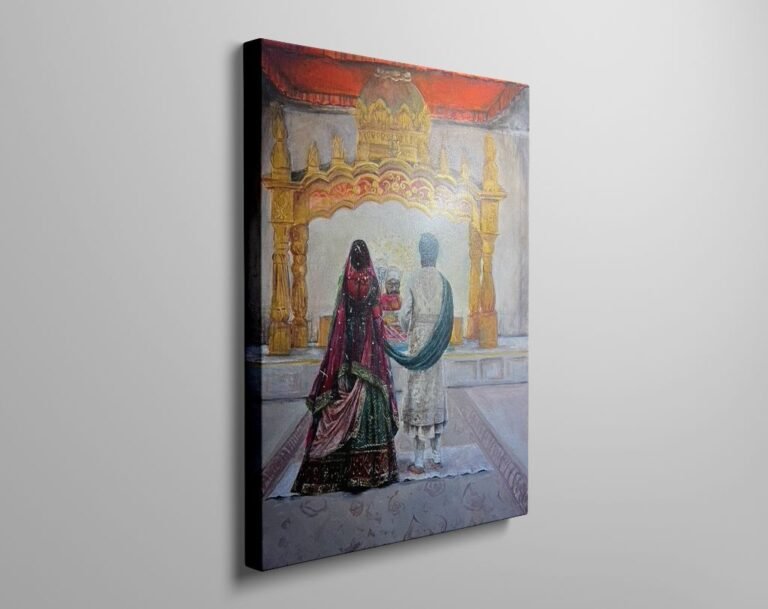
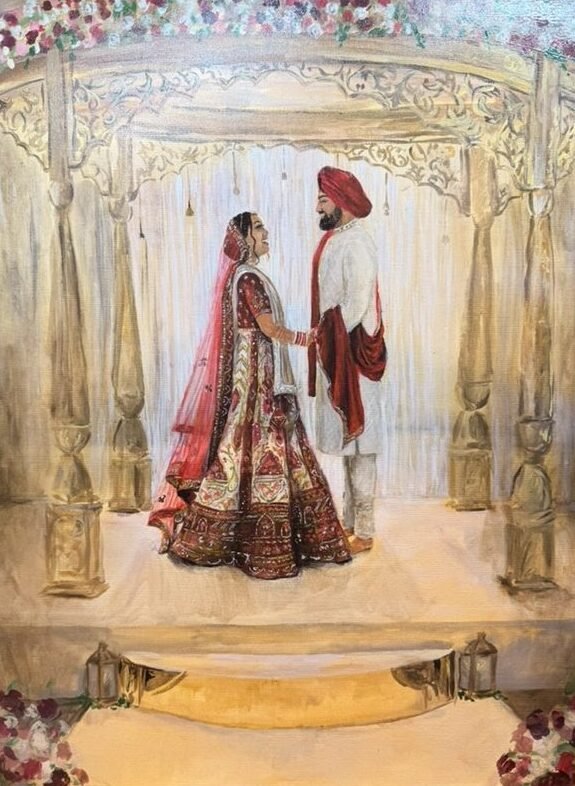
Live Canvas Paintings

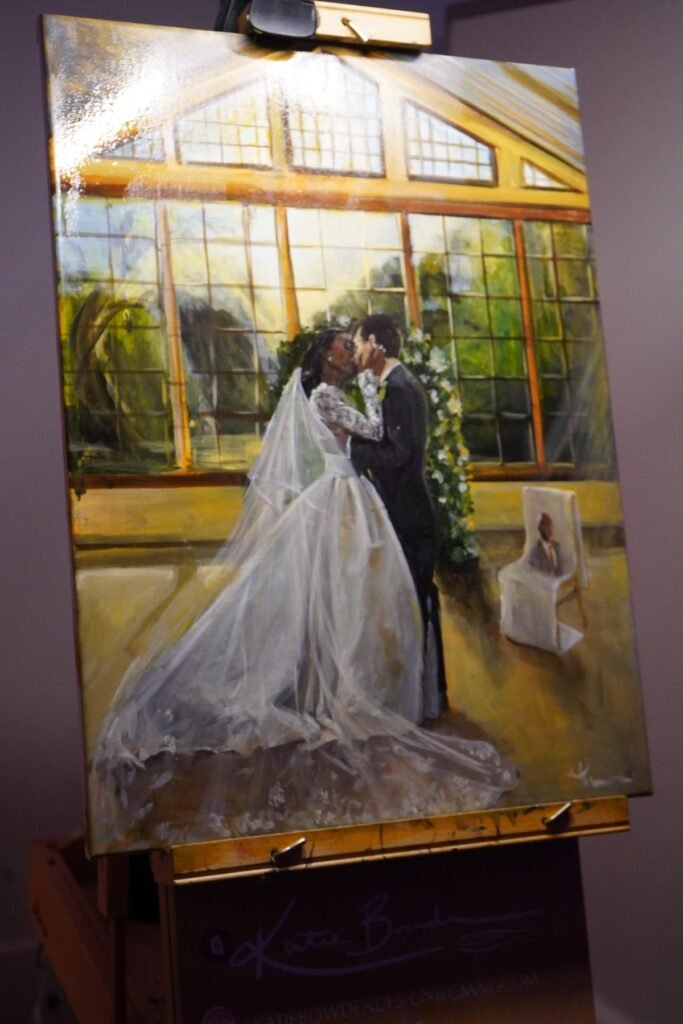
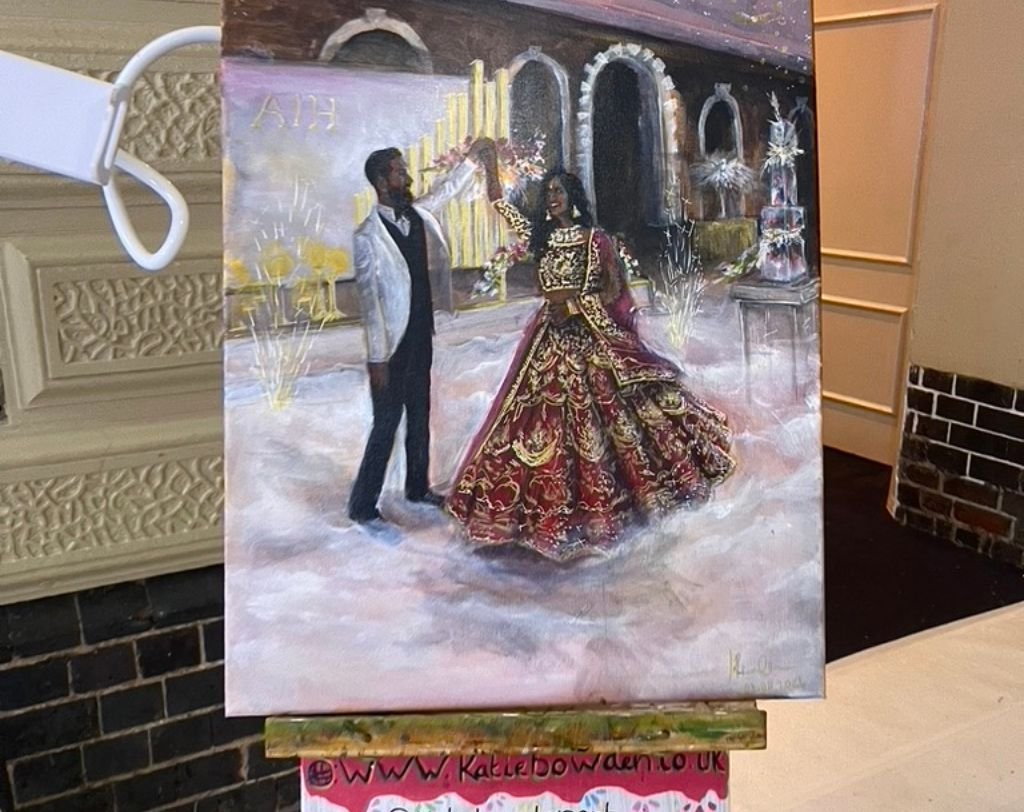
A bespoke acrylic canvas painted live on your wedding day, capturing a special moment as it happens and turning it into a timeless piece for your home.

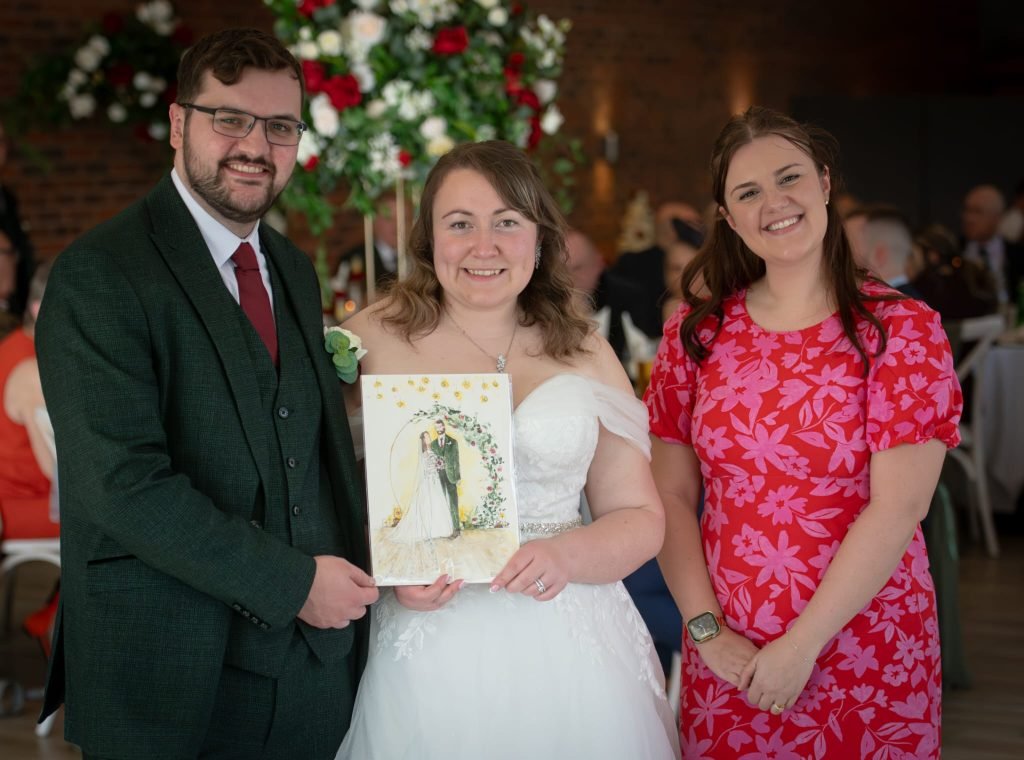
Live Guest Paintings

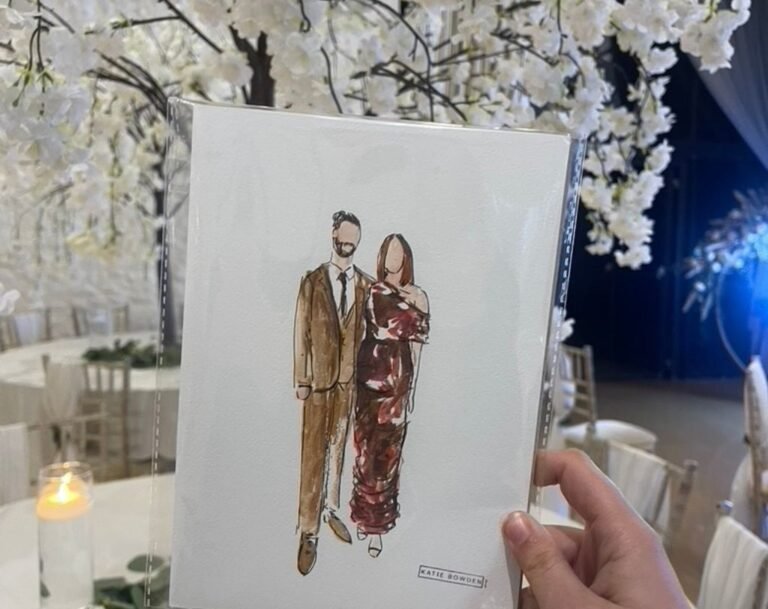
A unique live illustration experience where you and your guests are painted during your wedding or event, then take your illustration home as a keepsake on the day.

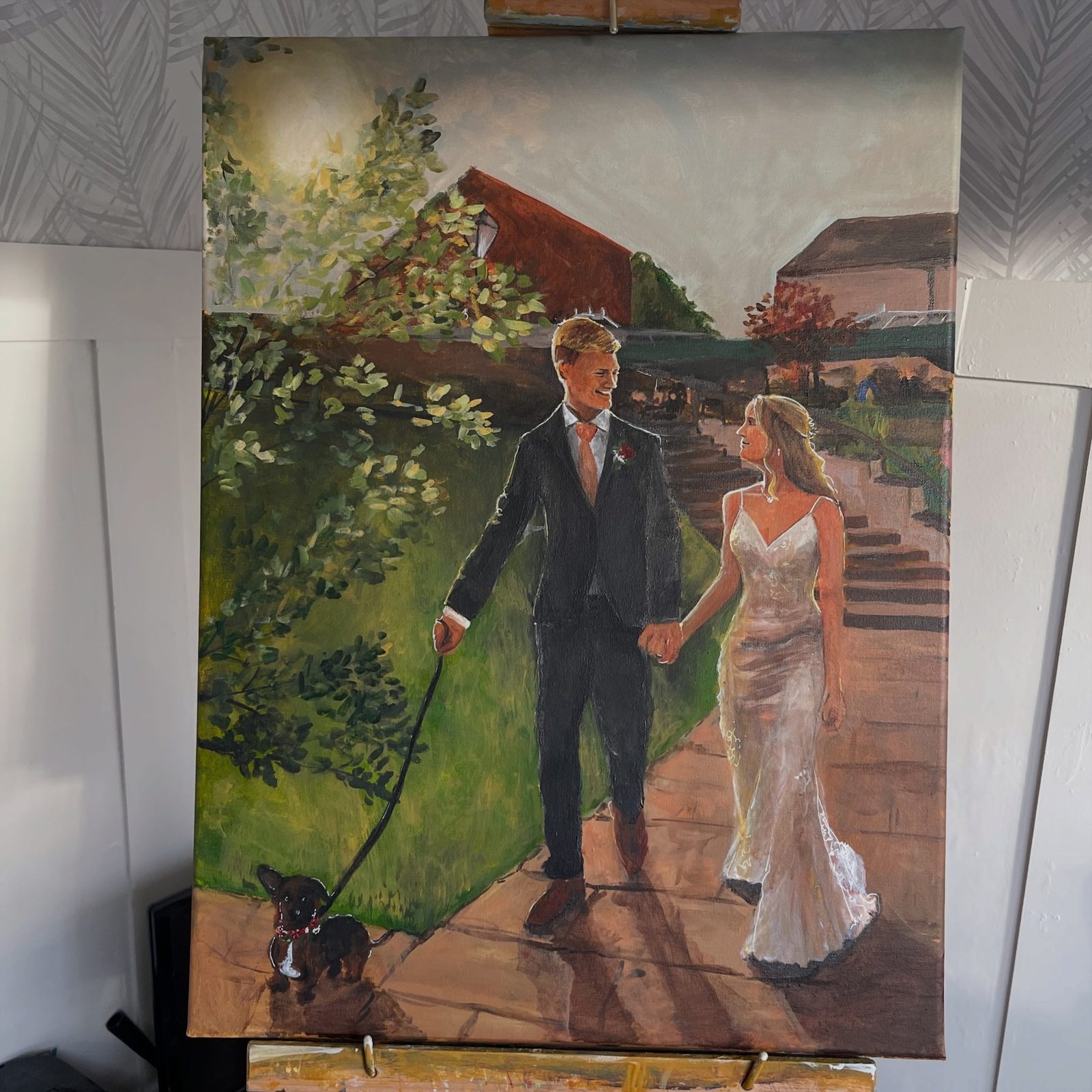
Studio Commissions

Hand-painted fine art commissions painted in my studio from your wedding photographs, family portraits, Pet portraits or cherished memories. 

DSC01600

Why Choose me?

I REALLY CARE ABOUT YOUR DAY

From the moment you book, your wedding matters to me. I cry at almost all weddings, and even after painting at over 200 celebrations, each one still feels special. You’re never “just another booking” — your day is personal, and I treat it that way.

IT SHOULD FEEL LIKE YOU

I want your painting to feel like a true reflection of you and your partner. When you see it, I want that “that’s us” moment… and if it gives me happy tears, that’s when I know it’s right.

I ALWAYS GO ABOVE AND BEYOND

From your canvas to your guest illustrations, I always try to go a little further than expected. It matters to me that your day feels magical, your artwork feels right, and you and your guests leave feeling genuinely looked after.

Real stories from brides and grooms who trusted Me

Abigail Owen Bride

She is amazing, one of the best choices I made was choosing Katie. She is a dream to work with and went above and beyond to make our day truly special, her artwork is amazing and our guests couldn't stop being amazed. An amazing gift for any guest!

Gemma Harmon Bride

Such an amazing addition to our wedding. Katie has given us an unbelievable gift that we will be able to cherish forever. The painting she created for us is so beautiful and we cant thank her enough.

Laura Salmon Sister-in-law

What an experience. Katie is a professional through and through and so very talented. It was so wonderful watching this painting develop throughout the wedding. I was overwhelmed with how amazing the painting was, it truly captures the happy couple and their very special day. I can’t thank Katie enough for helping me and my husband give his sister and brother in law a wonderful and unique wedding present. I would absolutely recommend Katie

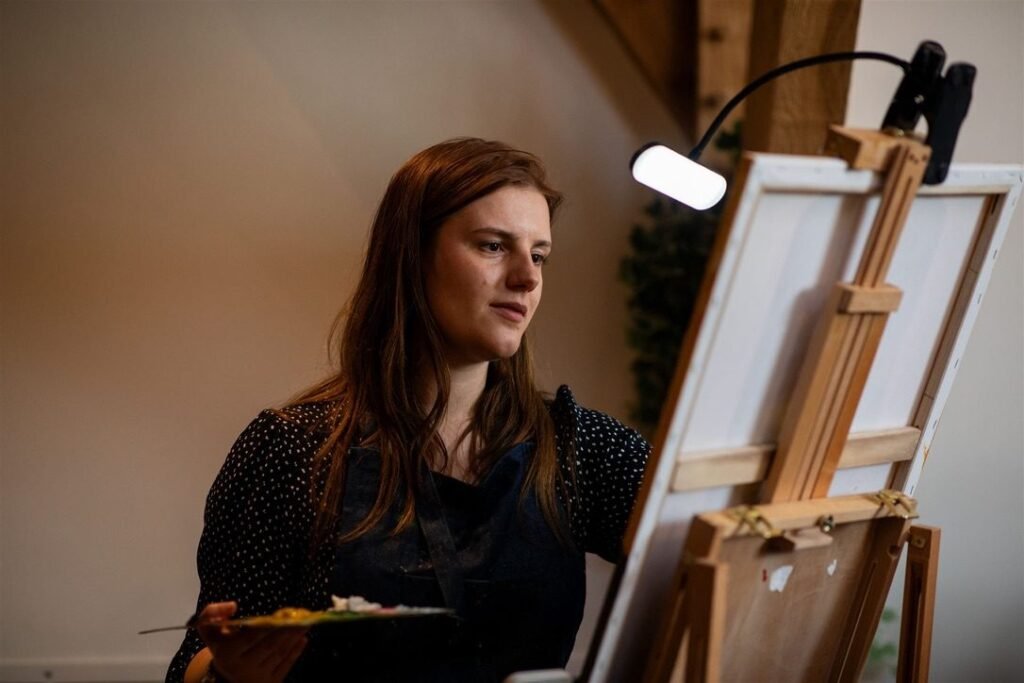
Katie Bowden painting her first live wedding canvas of Phillipa and James
Philippa Grace Bride

Katie was such a find for us! She was a last minute add on to our wedding due to a total coincidence when I saw her business. We're blown away by Katie's work and our guests (even now, almost 6 weeks later) are still talking about it! The painting is so special and unique. I am so grateful and would encourage anyone who's considering something like this to involve Katie and her talent.

Katie Taylor Bride

Katie really added a personal touch to our wedding day for us and our guests. She captured everyone perfectly and she even stayed over a little to make sure everyone walked away with one of her beautiful paintings. She also did a couple of special paintings to include people who sadly couldn't join us on the day. We cant thank her enough and we would recommend her over and over again. She even had time to record our entrance as Mr and Mrs and she sent us the lovely photos she took for inspiration! Mr & Mrs Taylor

FAQ's

Here you’ll find answers to some of the questions I’m asked most often about live paintings, guest illustrations and what to expect on the day.

Wedding dates are offered on a first-come, first-served basis and the busiest months book very quickly — I often have bookings in the diary up to two years in advance. My best advice is to get in touch as soon as you have your date to secure it.

If I’m already booked, I can sometimes offer an alternative artist for guest illustrations, but this isn’t always guaranteed.

I arrive around 30–60 minutes before your start time, quietly set up, and I’m ready to go before your guests arrive. If your venue has different spaces, I’m happy to move around — just bear in mind this may reduce painting time slightly.

Yes, we specialize in overseas and out-of-town weddings.

Guests have their photo and name taken, then go off and enjoy the day. Their illustration is painted from the photo, and they return at a designated time (shown on a small frame on my table) to collect their artwork as a keepsake.

Sometimes yes, sometimes it is completed shortly after — it depends on the package you choose. Larger, more detailed pieces that are finished in the studio take longer and are priced accordingly.

Yes — and I absolutely love doing them. Ive pretending to be venue staff and photographers on many occasions, surprises are very much welcomed.

Yes — I’m always happy to travel for destination weddings. If you’re getting married abroad and would love me there, just get in touch and we can chat through the details and travel arrangements.

For live canvas paintings, I bring my own easel and floor covering. I just need a small area (around 2 square metres) near a wall rather than in a walkway, so the painting can be created safely and without being knocked.

For guest illustrations, a dining-table sized or trestle table is ideal, with enough room for me, my paints and my display frame. I’ll also need a little space behind the table so guests can comfortably come over for photos and to collect their illustrations.